Showing posts with label Website. Show all posts

The Impact Of Crypto Web Apps On Digital Interaction

crypto web apps digital interaction impact

Key Takeaways

  • Crypto web apps blend financial and social features to create all-in-one digital platforms.
  • Embedded wallets and AI-driven solutions streamline user experiences and boost blockchain accessibility.
  • ‘Super apps’ are centralizing services for improved convenience and engagement.
  • Decentralized finance (DeFi) opens access and control to financial services for more users globally.
  • Advanced security features in these apps foster greater trust and spark broader user adoption.

Table of Contents

  1. Integration of Financial and Social Services
  2. Simplifying User Experience with Embedded Wallets
  3. The Rise of 'Super Apps' in the Crypto Space
  4. Decentralized Finance: Democratizing Financial Services
  5. Enhanced Security Measures: Building User Trust
  6. Future Prospects of Crypto Web Apps

In recent years, the digital world has undergone rapid transformation due to the rise of crypto web applications. These dynamic platforms are not just limited to revolutionizing financial transactions but are also altering how users communicate and interact online. As more platforms emerge, the boundaries between finance, communication, and digital services blur, leading to a more integrated digital ecosystem. For those interested in learning about the design aspects of these platforms, the crypto app UI resource offers an insightful exploration of crypto user interfaces.

Crypto web apps now sit at the nexus of finance and social engagement, weaving payment and messaging features together in ways that foster more holistic and secure digital experiences. As the demand for intuitive and interconnected online services grows, these platforms are paving the way for a new era of internet interaction, placing user empowerment and security at the forefront.

Integration of Financial and Social Services

Modern crypto web apps increasingly merge financial functions with social and communication tools to create unified user platforms. An example of this trend is the World App, which empowers users to conduct encrypted chats while also managing their digital assets. By combining secure messaging with crypto transactions, these new platforms make managing finances and communication more seamless, setting a standard for future digital services. This integrated model addresses user demand for convenience and enhances user retention by providing multiple essential services in one place.

The move toward converged online experiences frames a wider shift within the digital landscape. Users want more than transactional platforms. They seek spaces where social connections and financial independence co-exist. This trend is echoed in major industry developments covered by TechCrunch, which examines how these integrations are shaping the next generation of web apps.

Simplifying User Experience with Embedded Wallets

One of the most significant hurdles for blockchain adoption has been the technical complexity of managing digital wallets. Embedded wallets are solving this problem by streamlining crypto interactions, allowing users to transact within applications without needing deep technical knowledge. These wallets are enabling everything from in-app purchases and donations to complex DeFi operations, all through intuitive interfaces that lower the barrier to entry.

This user-centric design philosophy not only accelerates the mainstream adoption of blockchain technology but also significantly reduces friction in everyday digital activities. Embedded wallets have become key drivers in bringing more users and industries into the Web3 ecosystem, highlighting how technology that is easy to use is essential for mass appeal.

The Rise of 'Super Apps' in the Crypto Space

The 'super app' movement is gaining traction among crypto platforms, offering users a multitude of services under one digital roof. These platforms are merging features such as trading, payments, messaging, and even social networking. By doing so, they mirror the success of popular super apps in Asia, such as WeChat, but with a blockchain-powered focus.

Coinbase’s evolution, which rebranded its wallet to integrate a suite of financial and social tools, exemplifies this shift. With super apps, users benefit from unparalleled convenience and deeper engagement, fostering loyalty and making it easier than ever to manage both social and financial life from a single application.

Decentralized Finance: Democratizing Financial Services

Decentralized finance (DeFi) platforms are reshaping access to financial services worldwide. Unlike traditional banks, DeFi apps remove the need for intermediaries, enabling users to lend, borrow, trade, and earn yield directly on blockchain networks. The transparency and accessibility of DeFi lower barriers for those underserved by traditional banking, supporting financial inclusion and autonomy.

This decentralization of financial activities gives individuals greater control over their assets and decisions, representing a fundamental shift in how value is stored and transferred online. As DeFi continues to mature, it promises not only new opportunities for wealth creation but also fresh challenges around security and regulation.

Enhanced Security Measures: Building User Trust

Security is a crucial concern for anyone interacting with digital finance. Crypto web apps now employ advanced tools such as end-to-end encryption, two-factor authentication, and biometric verification to safeguard user data and assets. These measures reduce risks associated with cyber threats and foster trust among users, which is vital for the continued growth of these platforms.

The increased focus on security protocols is reflected in growing user confidence and adoption rates across the industry. Robust security practices not only protect end users but also send a strong signal about the maturity and responsibility of the crypto sector as a whole.

Future Prospects of Crypto Web Apps

The future of crypto web apps lies at the intersection of blockchain and artificial intelligence. AI-driven agents are set to manage wallets and interact with DeFi applications autonomously, simplifying complex interactions, optimizing asset management, and potentially enabling new forms of autonomous commerce. This evolution is set to expand the reach and capabilities of both crypto and traditional digital applications.

As AI agents and embedded technologies become increasingly prevalent, users can expect richer, more secure, and seamless digital experiences. The ongoing innovations in the industry suggest that crypto web apps will continue to play a leading role in transforming how we interact, transact, and communicate online, making digital life more integrated and accessible for all.

8 Best Practices For User Onboarding In Web Apps

best practices user onboarding web apps

Table of Contents

  • Streamline the Signup Process
  • Personalize the Onboarding Experience
  • Implement Interactive Product Tours
  • Utilize Progressive Disclosure
  • Offer Contextual In-App Guidance
  • Incorporate Gamification Elements
  • Provide Accessible Support Resources
  • Collect and Act on User Feedback

Creating an effective user onboarding experience is crucial for the success of modern web applications. A well-designed onboarding process immediately introduces users to the app's core features, helping them realize value quickly and improving overall satisfaction and retention. It shapes first impressions, determines how easily users can get started, and lays the foundation for positive long-term engagement. To better understand successful onboarding flows, you can explore real-world examples at Mobbin's onboarding web flows.

With countless digital products competing for attention, an intuitive and supportive onboarding journey is essential. Thoughtful onboarding can reduce drop-off rates, foster loyalty, and turn new users into fans. The goal is to anticipate what new users need, deliver timely guidance, minimize friction, and ultimately drive adoption of your product’s key features.

Good onboarding is an ongoing process that helps users move from curiosity to competence. As you build your onboarding framework, keep in mind that small improvements, informed by user feedback and industry standards, can make a significant difference. Incorporating principles from resources like Nielsen Norman Group's onboarding guidelines can help you stay user-centric and effective.

Streamline the Signup Process

First impressions matter. The signup process is often the user's initial interaction with your web app, so aim to eliminate any barriers that could deter new users. Ask only for the information you truly need to get them started. Requiring a minimal number of fields and offering social login options, such as Google or Apple single sign-on, can help users create accounts swiftly and without frustration. When users experience a frictionless entry, they are more likely to continue exploring what your app has to offer.

Personalize the Onboarding Experience

Not all users approach your app with the same background or intent, so personalizing the onboarding experience can make them feel understood and welcome. Collecting information about users’ goals or experience levels allows you to adapt introductory steps, showcase the most relevant features, and offer tailored recommendations. For instance, design tools like Canva ask new users what they intend to achieve, then adapt the next steps to reflect those goals, resulting in a more engaging and targeted experience.

Implement Interactive Product Tours

Learning by doing is often more effective than watching a passive tutorial. Interactive product tours guide new users through key actions and interfaces directly within the app, offering step-by-step instructions as they explore features for the first time. This approach helps users gain practical knowledge and confidence without overwhelming them. Effective tours balance informative tactics with unobtrusiveness, allowing users to exit or revisit them as needed.

best onboarding practices web applications

Utilize Progressive Disclosure

Introducing all features at once can leave users feeling lost. Progressive disclosure means revealing information or advanced options gradually as users become ready to explore. For example, you might initially display only the most essential navigation tabs and features, unlocking more advanced tools as users demonstrate engagement or reach key milestones. This method reduces cognitive overload and improves overall usability, as recommended by IBM's usability experts in their best practices on progressive disclosure.

Offer Contextual In-App Guidance

Well-timed, contextual guidance can make the difference between confusion and clarity for a new user. Tooltips, highlighted elements, and inline guidance messages provide real-time help exactly when and where it is needed. These context-based cues make learning the app more natural, directing the user's attention to the next logical step and offering reassurance as they navigate unfamiliar territory. This approach helps users overcome common stumbling blocks and reach usability faster.

Incorporate Gamification Elements

Gamification is a powerful motivator when used appropriately. By integrating progress bars, badges, or reward notifications, you encourage users to continue exploring the platform and complete onboarding tasks. Achievements and visual progress trackers provide a sense of accomplishment and make the onboarding process more engaging. However, gamification should be implemented thoughtfully; it should support your onboarding goals and enhance the user experience without distracting from essential tasks.

Provide Accessible Support Resources

No matter how intuitive your onboarding process is, some users may still encounter obstacles or have questions. Quick access to support resources such as FAQs, live chat, video tutorials, and searchable help centers is essential. Ensure that these resources are easy to find and accessible from relevant parts of the app. An informed and supported user is far more likely to remain engaged and return to your app.

Collect and Act on User Feedback

The most successful onboarding processes are continually refined based on real user insights. Encourage users to share their onboarding experience through brief in-app surveys or feedback forms. Monitor their responses, identify common pain points, and act on improvement suggestions. Demonstrating that you value and act on user feedback helps foster trust and loyalty, while also keeping your onboarding flows relevant and effective.

Successful onboarding experiences are about building confidence, imparting value quickly, and guiding users towards their goals. By applying these best practices and continuously iterating based on feedback and industry guidelines, you set the foundation for lasting growth and user satisfaction in your web app.

How Web Development Fuels Digital Growth Strategies

how web development fuels digital growth strategies

Key Takeaways

  • Custom web development enhances accessibility and SEO, ensuring compliance with modern standards.
  • AI-driven personalization transforms user engagement and interaction.
  • Progressive Web Apps and headless CMS architectures provide adaptability and performance benefits.
  • Component-driven design fosters UI consistency and streamlined workflows.
  • First-party data collection strategies are necessary for privacy-focused growth.


A dynamic web presence is foundational for businesses navigating today’s competitive digital landscape. Advances in custom web development not only support credibility and trust but also supercharge digital marketing efforts, operational agility, and customer experience. Strategic investment in web technology often determines the pace of brand growth, making it an essential part of any web development growth strategy. Businesses that prioritize user experience and compliance create a competitive advantage accessible to both new ventures and established enterprises.

The digital marketplace runs on best-in-class web foundations. Sites that are accessible, high-performing, and attuned to user needs see measurable benefits in discoverability and conversion rates. As technologies evolve, organizations need to understand why modern web development is the driver behind digital growth, aligning technical capability with consumer expectations, regulatory changes, and the rapidly shifting digital economy.


Enhancing Accessibility and SEO Compliance

Accessibility and SEO are cornerstones of future-focused web development. Regulatory guidelines such as the ADA and WCAG set clear expectations for inclusivity, yet many businesses fall short. Recent industry reports reveal that a staggering 96 percent of homepages tested in 2024 still had detectable WCAG 2 compliance failures. Solving these issues requires more than code updates. Businesses must adopt a design-first mindset to create sites that everyone can use, regardless of ability.

Search engines reward sites that prioritize both accessibility and performance. With Google’s Core Web Vitals now embedded in ranking algorithms, businesses have extra motivation to optimize for faster load times and seamless mobile experiences. Investing in accessible web design not only protects against legal risks but also expands potential audiences and improves organic search visibility.


Integrating AI for Personalized User Experiences

Artificial Intelligence and machine learning are drastically changing the way web experiences are delivered. Modern sites use AI-driven tools to analyze user behavior, segment audiences, and recommend content or products tailored to each individual. The adoption of personalization technology is surging; over 70 percent of high-performing websites now leverage AI to individualize the user journey, raising both conversion rates and customer satisfaction.

Advanced personalization has become a competitive differentiator. From automated chatbots to dynamic content recommendations, AI ensures every interaction feels meaningful and relevant. Brands adopting AI solutions deliver experiences that reflect a deep understanding of visitor preferences, resulting in greater brand loyalty and increased revenue.


Adopting Progressive Web Apps and Headless CMS

Progressive Web Apps (PWAs) and headless Content Management Systems (CMS) are reshaping how digital experiences are built and delivered. PWAs combine web and mobile app functionality, offering offline access, push notifications, and exceptional performance. These features help businesses maintain user engagement even in low-connectivity environments, making PWAs a compelling choice for brands seeking global reach.

Meanwhile, headless CMS solutions separate content management from presentation, allowing content to be distributed seamlessly across multiple platforms and devices. This decoupled approach enables greater operational agility, faster time-to-market, and enhanced scalability. Teams can quickly deploy content updates or launch targeted campaigns without overhauling entire codebases, ensuring marketing strategies keep pace with consumer expectations.


Implementing Component-Driven Development

Component-driven development has emerged as a best practice for organizations seeking efficiency and consistency. By organizing user interfaces into modular, reusable components, development teams can streamline workflows, reduce redundancy, and simplify testing. This method ensures design consistency while making it easier to scale or maintain complex sites.

Tools such as Storybook and Figma’s Dev Mode are bridging the gap between design and engineering, making it easier for cross-functional teams to collaborate on reusable components. With a solid component library, businesses can accelerate product launches, rapidly iterate on interfaces, and maintain high standards for usability and quality.


Focusing on First-Party Data Collection

Changes in regulations and the decline of third-party cookies have brought first-party data collection to the forefront of digital growth strategies. Organizations now focus on building direct relationships with users through secure logins, interactive content, and transparent data collection policies. This approach builds a foundation of trust while enabling businesses to gather valuable, consent-driven insights for effective personalization and marketing.

Complying with GDPR, CCPA, and other data privacy regulations not only reduces risk but also enhances brand credibility. Businesses that safeguard user data and provide clear value in exchange for information will thrive in a privacy-first world, where customer trust is as vital as technology itself.


Conclusion

Web development now plays a central role in fueling digital growth. Companies that prioritize accessibility, embrace AI-driven personalization, build on flexible architectures, adopt component-driven methodologies, and respect user privacy are best positioned for long-term digital success. As consumer expectations and regulatory pressures continue to evolve, a future-proof approach to web development is vital for lasting brand relevance and growth in the online space.

Why Landing Pages Are Needed for Sales Funnel Software

landing pages convert website visitor leads with sales funnel software

It is no secret that small businesses—and even large ones—need the best sales funnel tool under their belt for seamless marketing automation. 

As an all-in-one platform, a sales funnel software program can provide anything you need to turn leads into paying customers. 

And one of the most crucial aspects of every marketing funnel is landing pages. 

A landing page is where a customer "lands" after clicking an email marketing campaign or pop-up. Compared to the usual web page, the landing page form focuses on conversion. 

That is why you need to create landing pages for your sales funnel builder. Plus, a landing page offers the following great benefits that we will outline in detail below. 

They Provide Key Demographic Data For Your Sales Funnel Software 

When clients fill out opt-in forms, they provide demographic data in exchange for, say, a free trial. 

Needless to say, these facts will prove in handy for your sales and marketing efforts. They can give you a general idea of your customers and their purchase intentions. 

Such data can help you understand and classify your leads so that you get to address their concerns and pain points adequately. 

If you don't build landing pages, you will miss out on this great opportunity. Worse, you may lead them to the wrong sales funnel. 

In the end, you stand to lose customers instead of gaining some with your web page. 

They Help With Sales Funnel Lead Generation 

A landing form helps qualify your unlimited contacts. It can help you move the best ones to the sales funnel so they become full-fledged customers. It hastens the sales process because clients get what they need right away. 

That said, the usual sales pages won't do. You need to make use of a great landing page builder. It's all about the design, after all. 

You don’t want the process to be too complicated. You would want a funnel software that comes with a drag-and-drop feature and captivating landing page templates to boot. 

Just like picking the right sales funnel builders, you need a landing page software that can help you collect unlimited leads in one go. 

They Help Promote New Products Or Services 

Do you have new online courses or products to promote? You should build dedicated landing sites if you want more effective sales funnels. 

They go hand-in-hand with your social media campaigns. They make the process easier for your clients, so they don't have to look up everything on your website. The landing page is the only thing they need at the moment. 

As such, they make for valuable marketing tools since they shed light on the merits of your new launches. 

Sales Funnels Software Pages Help Raise Brand Awareness 

As mentioned, the design of your pages matters. That is why you need a visual sales funnel builder in the first place. It can help you create separate pages that help raise brand awareness. 

For one, these can give your clients a preview of your website. Even if they opt out of your online advertising form, they will have enough brand recall in the process. 

The next time they come across your sales funnel software tools, you might be able to throw a hook around them successfully. 

They Can Assist Sales Funnel Tools In Tracking Data 

Since the typical sales funnel landing page gives you access to crucial data, it can also help you monitor such metrics. 

For example, it allows you to track and analyze page conversion, time on page, or bounce rate. With these numbers, you can better understand your client's responses towards your automated sales funnels. 

Most importantly, these data can help you optimize your funnel builder for the best results. 

They help with the A/B testing on every page element, so you know which works for your marketing campaigns and which doesn't. 

They Help Build Credibility For Customer Relationship Management 

If you want to attract more people to your checkout pages, an effortless way is to have a great landing form. 

Through the help of landing page builders, you can add reviews and ratings—all of which should boost the credibility of your online businesses.

It is no secret that a verified review from a satisfied customer can help you earn more sales in the long run! 

They Build SEO-Optimized Sales Funnels 

When you create sales funnels and forms, you get to improve your online marketing presence. After all, you can use them to improve your SEO. 

These pages allow you to use targeted keywords for the content. 

Additionally, they help you rank through optimized title tags, alt tags, meta-descriptions, headings, internal links, images, and videos. 

The same goes for the page's URL. Keeping it short (50-65 characters) should help boost your SEO in no time. 

Conclusion

As mentioned, there are plenty of benefits to creating unlimited landing pages to build sales funnels. With these marketing materials, you are sure to improve your online sales per month.

How To Make Your SEO Audit Report Stand Out From The Crowd

how to make seo audit report stand out search engine optimization reports

Your website's performance in search engines directly influences its success, traffic, and income potential. Search Engine Optimization (SEO) ensures that websites appear on the first page of search engine results. Therefore, it is crucial for increasing traffic. 

An SEO audit report that helps clients see how you have progressed toward your goals is a great way to keep your agency on track.

The key is making your report as readable as possible without wasting time copying and pasting tables and charts from other platforms. Here are 4 tips to help you create a perfect SEO audit report for your clients every time.

1. Keywords

SEO audit reports are essential to educating your clients, documenting the impact of your efforts, and building trust. Therefore, these reports should be concise, quick to create, and easy to understand. It is where a free SEO report template can be a big help. 

A critical aspect of an effective report is clearly defining goals and KPIs. It lets you clearly show how well your strategies work and set priorities for the next month.

The other aspect of an effective report is checking progress and identifying issues that need to be fixed. It helps your clients avoid losing momentum.

While keyword rankings are imperfect, a high click-through rate and engagement can signal that your page has gotten Google's attention. However, keep in mind that search engine rankings can change quickly.

2. Traffic

One of the best ways to impress clients with your SEO work is to create reports that show progress in key metrics. It helps you demonstrate how your strategies have helped your client meet their goals, and you can then start planning future campaigns accordingly to deliver more long-term wins.

Your clients are also likely to want to see how their website is performing regarding bounce rate, and you will need to include this data as well. It can help them understand why certain parts of their website convert slower than they would like.

3. Backlinks

Backlinks are links from one website to a page on another website (sometimes known as "inbound links," "incoming links," or "one-way connections"). Google and other major search engines regard backlinks as "votes" for a given website. Sites with many backlinks typically score well in organic search engine results. Backlinks are a huge part of SEO and significantly impact search rankings. Therefore, having a lot of high-quality links is essential for increasing your ranking.

The first step to do is to assess your current backlinks. You can do this with the help of a backlink analysis tool.

It can give you a clear view of your total backlinks and unique domains. It can also help you identify the best domains to link to and improve your backlink profile.

Next, you should look at the anchor texts used to link to your page. It can indicate the site's authority and whether they use the right keywords or phrases to link to your page.

4. Conversions

One of the effective ways to illustrate your skills as an SEO wizard is by tracking and reporting on the conversions that matter. It might be as simple as counting the number of customers or leads generated by your optimized website. Still, it can also mean measuring ad revenues, e-book downloads, or subscription revenue. Ideally, these numbers will be directly tied to your client's business and their marketing budget. The goal is to make your SEO audit report stand out and sway the important marketing budget in your favor.

An excellent way to do that is by making a custom Google Analytics (GA) report with the most pertinent data points. For example, a custom GA report should include your client's unique visitors and visitor behavior by segment; what content is generating the most conversions (or at least attracting the most eyeballs); and, of course, the best way to display all that information in an easy-to-read report.

Smart SEO Audits

When it comes to an SEO audit, you can't settle for average. Keep these above top tips in mind when creating search engine optimization audits for business websites and blogs to ensure they go over and above the average reports. 

Ruby On Rails For Your Website

ruby on rails website development benefits ror framework

Yes, ruby ​​on rails to implement when develop your company´s website and here we are going to explain why with some simple reasons as well as this framework: flexible and with great support. 

Just to start by saying that Netflix, Twitter, Twitch, Airbnb, among other large companies that use Ruby on Rails to develop their websites. 

With Ruby on Rails you can streamline the development process, this feature makes Ruby on Rails the framework of choice in many companies where time equals money. Given the great importance and emphasis that companies are putting on Ruby, it is only a matter of time before it becomes a language in high demand for any developer. 

Experienced programmers use Ruby not only because it is becoming a popular tool, but because it helps them simplify simple, repetitive tasks. 

So, if we talk about reasons why this is a great alternative to start your web development company, then we have to show you some. Here we go with the big benefits of using RoR for websites: 

Its agility and speed: it can streamline the development process significantly by giving you a base for your code and allowing you to reuse existing components, thus saving you time. Rails also has a number of plugins that are at your disposal and you can use them as you wish. All of these features, along with its testing tools and code templates, make your Ruby on Rails development process very efficient. 

Its language: both the framework and a wide variety of libraries are open source. This implies that any project that is carried out in Ruby on Rails does not have any license cost. Plus, the fact that it is open source means there is a huge community behind you that you can turn to for help. This community may be new, but it is already pretty tight, so you will definitely be able to find the support you are looking for. 

It will improve your productivity: an application made in Ruby on Rails can be easily modified. Having new functions, applying changes to templates and other modifications can be done in a more agile way, saving a lot of time. 

Ruby can also work with a logging framework, that way it is easy for other developers to grab a project and check its progress so far. 

It will be easy if you know how to program: To handle certain features of the Ruby on Rails framework you need to learn PHP, you don't need to master the entire programming language, you just need basic knowledge. 

If you are an experienced programmer, learning Ruby on Rails will not be a big challenge. On the other hand, if you are just starting out you can use Ruby to ease the learning process. 

Last but not least: you can stay up to date always. It is becoming more and more popular, and as a programmer it is your duty to keep abreast of the changes Ruby will bring to the web. 

We can conclude with other obvious reasons, but we wanted to leave for the end something that will catch your attention: its cost is minimal. This thanks to the fact that its process is streamlined and it is open source, you save time and money with RoR. Rails has some level of automation and allows you to eliminate certain parts of the development process, so it helps you focus on specific problems.

How To Incorporate Customer Reviews In Your Marketing Strategy

how to incorporate customer reviews marketing strategy business ratings

Of all the marketing strategies available today, word of mouth and the opinion of others still reign supreme. There’s something about hearing someone give their stamp of approval on a product or service that encourages you to make a purchase. Getting feedback from existing customers also enables brands to enhance their products and services for better results. That’s why companies go to great lengths to obtain reviews. 

If you’re interested in using customer reviews, here are some creative ways to incorporate them into your marketing campaign. 

Place Them On Your Website 

One of the most common ways to display customer reviews is on your company website or eCommerce platform. As visitors check out what you have to offer, they can quickly evaluate the experiences of others. You can create a customer review tab or attach them to products with star ratings and a comment section. 

Add Them To Print Materials 

Does your company use print materials like flyers, postcards, and brochures to advertise its products and services? If so, you can include a few of your top customer reviews on your print materials for an increased chance to convert your audience to sales. 

Create A Promotional Video 

Videos are becoming an increasingly popular way to view and share content. While you may not have the funds to make a commercial, a short video review can serve the same purpose for a lot less. Getting a few customers to talk about their experience and even give demonstrations on how your products work is simple and effective. You can upload the videos on your website, social media pages or send them out in an email blast. 

Share On Social Media 

Social media has become an increasingly popular platform for businesses and consumers to connect. Use your social media pages to highlight customer reviews. Your followers can review, add, or share these reviews with others to improve your brand’s reputation and credibility. 

How To Get Positive Customer Reviews 

While there are review sites where customers can give their opinion on various brands, it’s best to source your own. Here are a few methods to get the reviews you need for your marketing campaign. 

Provide Quality Services 

You can’t very well expect to get positive customer reviews if you’re not providing the best products and services. Talk to existing customers to find out what they like and dislike about your products. Use this information to enhance your services. Whether that means changing the prices or outsourcing your pick pack and ship needs to an eCommerce fulfillment center, the more satisfied your customers are, the easier it is to get high ratings. 

Just Ask 

One of the first options won’t cost you anything. All you have to do is ask. Some people love giving their opinion and won’t mind helping out a business they support. You can ask in person, send out emails, add a link for reviews on receipts and print materials, create a post on social media, or ask at the end of your blog posts. 

Another option is to create widgets and place them on your website and social media platforms. When your customers click on the widget, it will route them to an app to complete a form providing feedback on a recent purchase. 

Offer Discounts 

Some customers are aware of the power in their opinion and would like to be compensated for their services. If that’s the case, you can consider offering discounts on your products or services. Getting a few bucks off something they need can be all the motivation you need to get a decent review. 

Customer Reviews Conclusion

The world of marketing has expanded as technology, and consumer trends continue to evolve. Although it’s in your best interest to consider multiple concepts when marketing your products and services, don’t overlook traditional mediums like the opinion of others. Customer reviews are easy to incorporate into your marketing campaign and can help spread the word about your brand.

How To Start A Website On A Budget

how to start a website on a budget low-cost web design

According to current statistics, there are almost 2 billion websites on the internet today. There are endless reasons people choose to toss their hat into the internet ring. From selling a product to sharing a passion about a topic, the internet is a powerful platform to express opinions, ideas, sell services or wares. But is it affordable to build a website? 

The good news is that building an online presence with a new web page can be very affordable. In fact, there are as many options for website building that can fit almost any budget. Read on for top tips to start a website without breaking the bank. 

Why You Should Start A Website 

As mentioned, the reasons for creating a website are as vast as the internet itself. Everybody has a different point of view, and a website is an ideal place to share those views. Some of the top reasons to start a website include selling a product, offering consulting services, writing reviews, expanding upon a passion or hobby, sharing information, building a non-profit - the list goes on and on. 

Considering the fact that starting a website doesn’t have to cost a fortune, you may ask yourself “Why not go for it?” That’s a great question because if you have something to sell or say, a website online is an ideal place to do just that. 

Steps To Building A Website On A Budget 

Even though creating a stunning website can be done cheaply, that doesn’t mean it’s always easy. There are details to consider which involve making good choices from the start. With this in mind, here are a few steps to get your website-building adventure off on the right foot. 

Get A Domain Name 

The first and most obvious step to building a website is attaining a domain name. This will be the URL (as in, www.yourdomainname[dot]com), where visitors will see your site. There are many providers where you can research domain names and purchase them relatively cheaply. The base cost for a domain name is around $10.00 per year. The price goes up, though, depending upon additional security measures you may elect to purchase such as a secure SSL or WHOIS domain privacy. 

Get A Hosting Service 

A web hosting service is needed to make your website live, viewable, and accessible to visitors searching for you online. Very often you can get a reduced price on website hosting if you opt to bundle your domain name with a hosting package. Consider the purpose of your website before choosing a host. For instance, if you want to sell products or services, consider WordPress WooCommerce hosting, which has e-commerce functionality at the heart of its service. 

In truth, web hosting is potentially the most expensive aspect of creating and maintaining a website online. You can start with cheaper hosting for as little as around $14.00 per month. That cost will increase according to security, speed, support, bandwidth, and more. Keep in mind, however, that your hosting fees may also increase as you get more traffic to your website. At the high end, websites that receive hundreds of thousands or millions of visitors a month may cost up to $1000 a month. But in the beginning, you can keep hosting costs low, and upgrade to a bigger hosting package as your website grows. 

Get The Right Platform 

A website building platform or content management system (CMS) is how you will build your website using a dashboard. There are many options to choose from, and some offer easy-to-use features such as drag and drop functionality in the event you are unfamiliar with web building. Choosing the right CMS for your website depends upon your objective. 

Website software costs range from $14.00 per month, and the price goes up from there, depending upon what functionality you want for your website. One of the most popular CMS platforms is WordPress, which powers a third of all the websites on the internet. WordPress also features an open-source software (WP.org) that is free to use. This might be a viable and cost-free solution if you’re just starting a website. There are also millions of free or low-cost plugins and themes to help maximize, customize, and optimize a WordPress website or blog.

The Last Word For Starting A Website On The Cheap 

Determining how much a website will cost is largely contingent upon what you want to accomplish online. In the beginning, you can keep costs very low with free open-source software, or getting bundle deals through a hosting service. As you continue to build your site with quality, optimized content, you can upgrade to pricier options and packages that will improve your website. In the final analysis, starting a website doesn’t have to cost an arm or a leg, so you can easily create a website without crushing your budget. It is time you stop delaying and start building a wonderful website that works for you!

How To Choose The Right Web Design Service

how to choose best web design services website developer package options

If you are looking for the best web design services, look no further than web designs services. They offer various packages in terms of web design services, depending on the package that works best for you. Suppose you opt for the basic website builder package, these are some of the benefits that you will get. To start with, it is the cheapest option that you will get at only a few hundred dollars, which is good value for your money. For this amount, you will get the most basic, functional web site where you can blog, run a business or start an organization. Other features of this basic web design services include the following. 

Since it is not designed to run like other online shops, this system lacks the log in option that you find in advanced systems. It therefore gives you the option of running a more personal website. It is the most ideal type of web design if all you want to do is to share information or show the kind of products that you have and so on. This simple web design contains the about us page, Home page, contact and the gallery. You will also be able to upload videos if you simply want to add variety to your simple web design. 

Why you should go for this basic web design. To begin with, the basic website design offers you a more appealing website that is far much better than other websites of the same status.  The web design experts will add some elements of sophistication to your website improve customer relations, hence more traffic than you have ever imagined. These webs design professionals will review the websites of your competitors and learn what it takes to be ahead of them. 

The web designers will provide you with tools that will assist you manage the website content with little effort. This is important so that you are aware on the active and inactive content and take the remedial action without any further delay. 

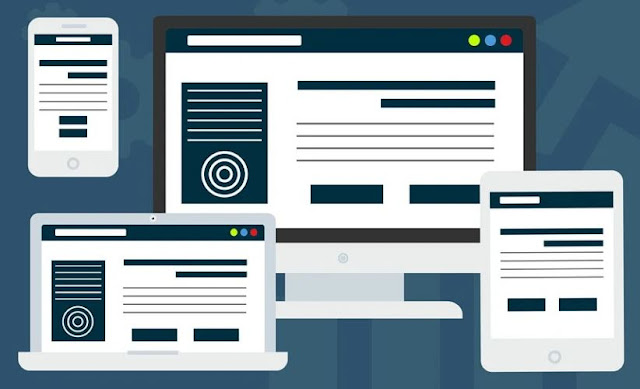
Search engine optimization or SEO is very important for any website. The web design experts are aware of this fact and will therefore provide you with the necessary tools so that you can improve your ranking in major social media sites. Before you realize it, you will find yourself up in the rank, thanks to the effort put in by the web designers. What are the other features of the basic web site design? This is perhaps one of the first questions that a potential buyer would ask themselves before purchasing this package. This site is a fully responsive site, hence functional in every aspect. If you need to make any contacts with other people, the web design has provided you with a contact forum for this purpose. As previously mentioned, you will have the control over the content of the site through the content management tools. The design that the web design have provided you with is excellent too.

Advancements and practices in Web Development Services and design sector has reached new heights over the recent years. One cannot imagine creating an eye-catching website without giving it a nice design and to flourish the business in the online sector, efficient web development services are a must. Taking your business to a highly successful level needs extra efforts and much dedication but the most important question comes afterwards that is what should you do next? If you have got everything worked out for you for instance manpower, technical and management skills, having brilliant services and staff along with the right products, what’s that one thing or factor that can cause a hurdle in making your business progress? No doubt, many of us would say that advertising and efficient marketing strategies would be the ultimate step to adopt and the truth is that these two factors cannot be ruled out as well since to make a business or a project flourish, using advanced marketing strategies and skills holds prime importance. However, the major issue or concern here is that does your budget allow you to invest your hard-earned money towards continuous advertising campaigns? 

This is the point where web design services and up to date design services smart can give your business a much needed and uplifting boost in the global corporate sector. Since the dawn of internet, the technological advancements have undergone a colossal evolution with the passage of time. Online corporate sector has gradually become one of the most affordable and reliable places for a businessman to advertise and promote his business to maximum number of potential customers. Therefore, obtaining the right web development and design services holds a significant position in promoting one’s business in the right direction. Why a well designed and user-friendly website catches the attention of a large number of customers at first glance? It’s because your website layout and the graphics which you have used at your home page will be the first thing your clients will see and to leave a long lasting impression on them, the color combination and the overall texture of your website should be appealing, in close accordance with the modern trends and should be relevant to your project, campaign or business. 

For those who are running their businesses online, secure the highest positions and rankings in the search engines ensure maximum traffic towards their web portals which in turn can help them achieve their desired targets quarterly, monthly or annually. A well executed web development strategy and website design layout will help your business by generating more traffic which in turn would increase the number of sales and hence the revenue for you. Moreover, you can stand out in the international corporate market as one of the most potential competitors via a presentable and easy to navigate website. 

So, how can smart web development and design services help you enhance your business in the right way? Well, the basic aim of many web developers and designers who have made their marks in their respective sectors is to create a website or websites displaying the perfect blend of modern and contemporary designs with latest technological features. Various services including website designing, search engine optimization services, internet marketing, link building, internal database development, registration of domain names, creation of site maps, usage of advanced web metrics and other related features that can make your website more functional and easy to access by the user or visitor. 

Web development and design industry has gone berserk these days as more and more advancements, tools, gadgets and software have been introduced to create and manipulate web interfaces anytime by highly skilled and professional developers and designers all over the world. So, go ahead and give your online business the search rankings, the traffic and a strong customer base which it deserves by adopting smart web builder services today!

Marketing Masterminds Media is a top web design company helping all customers build an online presence to succeed. Our motto is "Maximize Marketing & Build Brands" for your website design needs and SEO services.

Wonderful Websites Working Well

Whether you are looking for a complete redesign or you are just trying to make something look better to get ahead of the competition, Marketing Masterminds Multimedia is the place for you. Contact us today to get started on your customized website design package.

4 Ways To Manage Your Website SEO

how to manage website seo

Have you just started your infrastructure business? Are you apprehensive about your success? There is one simple rule to follow in the world of business. It is essential to have a strong online presence to make your mark. 

Your business website has a crucial role to play in your overall company success. However just having a static website with a low cost domain name will not help you build up your business empire. The smart approach will be to get a dynamic website which is optimized. 

SEO (search engine optimization) might sound like rocket science to many. However, it is not the case for sure, even if website digital marketing isn't your expertise. We will talk about some tips to manage the SEO of your website. 

Tips For Managing The SEO Of Your Website 

1. Finding The Right Keywords 

First of all, it is crucial that you select the right keywords. You should make sure that you use the best Keyword tools to find the keywords for your campaign. You should try to focus on the long-tail keywords for your business website SEO strategy. 

Leveraging Long-Tail Keywords vs Short-Tail Keywords

What is worth mentioning about the long-tail keywords is that they have at least two to three words in length. They are more valuable for your business, than short-tail keywords, for more niche websites that aren't worth tens of millions of dollars. The problem with short-tail keywords is that they are more of a generic nature and incredibly hard to rank for in most industries. The short-tail keywords do not address what the user requires. When you are able to find the right keywords, then you will also need to integrate them into your website. Google searches for the long-tail keywords on your website content. As a result, your website tends to rank better. It is crucial that you place the keyword in the body of the content. The keywords need to be there in the meta-description and the title of your page. 

2. Create Quality Content To Earn Backlinks 

Backlinks for SEO also help to improve the credibility of your website. However, if you want to earn backlinks, then it is vital that you create quality content. You need to research properly to create quality content. It is vital that you understand the needs of the users. You can share the content with authority blogs and they may decide to link back to your website. The benefit is that the search engine ranking of your website will improve. You have the option to place videos on your website. 

3. Use Visual Content

The reason is that people tend to get more attracted to the visual content. The other option is that you can also place downloadable content on your WordPress website. The benefit is that people can review the content at their convenience. 

4. Keep Up With The Competition

It is also vital that you keep an eye on your competitors. The best approach is to search your long-tail keywords on Google. The benefit is that you will get an idea about your competitors and how they are ranking. Plus, you can come up with an improved SEO strategy for your website. 

SEO Like A Pro

Follow these SEO tips if you want to take your infrastructure business to the next level. Success in search engine optimization is bound to come in easy this way. You will not have any regrets at all from these simple but smart SEO strategies.

How To Bulk Install WordPress Plugins

how to bulk install wordpress plugins wp reset

Starting a new website from scratch is already a stressful situation. Even if you have one already up and running and have already done the process once. It still can give you quite a headache, and no medicine can help you with this kind. 

Therefore, being in the WordPress business, you probably have some favorite plugins and themes. Those are the tools that you trust and don't want to risk with some new ones. They already have proven to be of good quality and of good use, and if something is working, then do not change it. 

That's fair, but the process of installing one by one can be dull and time-consuming. You will need to unzip the plugins, enter the license key, activate them, and so on. It is a long process. 

We get it- no one has time for that and that time can be spent in a much better way. 

What if we told you that you can do a bulk installation of your favorite tools? Like, you can install them all at once with just one click. That's possible with one tool by the name of WP Reset. 

WP Reset – The Hero Without A Cape! 

It is a tool that will ease your installation process by a mile! It has a collection feature where you can put your plugins and themes. And you can put however of them you want - there is no limit. 

That way, when you click install and activate in that collection, all of your plugins will be installed by the WordPress Reset plugin. You can easily spend that time with your close ones on a lunch date while this tool takes charge. 

You can also make as many collections as you want. Once you create your collections, you can use them on any site of yours. There is no need to create them over and over again. The reason behind that is because they are patiently waiting for you in the cloud. 

We all know the trouble of saving the license keys. Sometimes we forget where we hide them. It is like a treasure hunt when you want to find them. 

But the hunt is over because you can save them in your collections. And, no worries, they will be encrypted. 

Besides, this rock star also helps you go back in time. Let's say you updated a plugin, and your site isn't working anymore. There is no need for a breakdown and trying to figure out what went on. 

It can happen for various reasons. The newly updated plugin is not working with the rest of the tools, or the plugin is outdated. 

That's why when choosing a plugin, always check if they do updates regularly and do you get the needed support for it. That will tell you if the plugin is worth being on your site! 

Even if you install a brand-new plugin that you found, things can go downhill pretty quickly. 

Simply with just one click, go back to the moment where everything was okay. It's like having your own little time machine. 

That is because this tool creates snapshots before any huge change that you make. Before you update the plugin, any activation or deactivation, there will be a snapshot taken. 

You can take as many snapshots as you want - no limit here. And restoring them takes only one click. Besides, you do not need to worry about the size of those snapshots. They take up about 3MB of your space, and the old ones are going straight to the trash bin. 

Nevertheless, since you can install all of your plugins at once, you can also erase everything with one button. The nuclear reset button lets you delete everything off your site - not a single crumb will be left on the site. 

That is because when you install a theme that you like, they bring additional and unnecessary files with it. Hit the button for nuclear reset, and everything will be gone in 30 seconds. 

Now, this is a solution for anyone who is looking to start fresh with their website. There is nothing better than to have a tool that is this versatile. It helps you install all at once and delete everything at once. 

One other thing that is a fear of every website owner is the White screen of death. That is when nothing works on your site - you can't even access the admin panel. That is a huge problem for sure, but it is a piece of cake if you have WP Reset. 

WP Reset offers an Emergency Recovery tool that is a standalone script. It is independent of any WP files. That's the reason why it will always work and why you will be able to fix the white screen. 

It is pretty much an easy process, you will need to open it via a secure link, and it will help you get your site up like a pro! With this in your back pocket, you and your customers will never again have a fear of a white screen. 

Conclusion 

As said before, installing your favorite 10, 20, or even 30 plugins on your WordPress website or blog can be a long process. Not only long but a boring one too. Let WP Reset take your work out of your hands and sit back and relax. 

Your plugins are like your employees - you need to take good care of them. If they mess up, you need someone to fix it up. And right there and then, WP reset will come in flying like a superhero and take you back to the time where your plugin was working fine.

7 Steps For Resizing & Cropping Images For Improved Website SEO


Your website needs to be stunning. High definition images that are perfectly cropped and edited help keep viewers reading. These images grab the attention and make readers scroll down to see more. But how can you crop an image without losing picture quality? Do images help Search Engine Optimization? Is there a way to crop images for free online? Here is a simple step guide for cropping your images and optimizing them for website rank and user experience. 

Images Impacting SEO 

First, you need to understand how images affect Search Engine Optimization. Search engines recognize when you add an image to your website. These images are then indexed into search results based on the name, location, or file type of the image. Before uploading any images you need to name the image. Naming an image before uploading makes it easier to find and helps the image be indexed in search results. 

The type of file the image is contained in will also help when editing the image. JPEG files are the most common and used for large photos or illustrations. PNG files allow for transparent backgrounds. This allows you to overlay images and resize easier without distortion. The best image might be too big to load on your website. This is when cropping images comes into play. If the image is too small, resizing it without distorting the quality can be tricky. 

Cropping Images Online 

Instead of buying an expensive program, you can resize or crop your images for free online with Adobe. It's easy-to-use and maintains your image’s quality when cropping. Here are step-by-step directions on how to crop a photo using Adobe Express. 

7 Steps To Resizing And Cropping Images For SEO

Step 1:  When on the Adobe Express website, click the “Crop your image now” button. 

Step 2:  You will get prompted to sign in to an account to continue. Some of the options include a Google, Facebook, Apple, or student Adobe account. Once you have signed in or created an account, you will see the Adobe Express online platform. 

Step 3:  Next, follow the walk-through to select the image size and shape you need. You will see a blank canvas with a toolbox to the right. 

Step 4:  Locate the “Add” button on the right. Click that, then click “Photo”. 

Step 5:  Click on “Upload Photo.” Locate the file you wish to resize or crop and upload it to edit. 

Step 6:  Once uploaded, use the Scale bar on the right to resize the image. Or, click “Move Freely” then click “Crop” to edit the image that way. 

Step 7:  Once the image is edited to your liking, click the check mark on the right to finish editing. Then, click on the “Download” button at the top right to save the image to your computer. When saving the image to your computer, make sure to save in the correct file type (PNG or JPEG). Also, edit the image file name to be search engine optimized. 

Happy Image Editing 

Now you know the steps for cropping images online for free using Adobe Express! This is an easy way to make your images SEO friendly for your website. Using Adobe Express will help grab the attention of your website visitors with optimal images. Happy editing and optimizing!

NetSuite SuiteCommerce Standard vs SuiteCommerce Advanced

netsuite suitecommerce stand vs advanced

If you have already begun your search into finding out more about SuiteCommerce, then you may have stumbled across two terms... SuiteCommerce Advanced (SCA) and SuiteCommerce Standard (SC). ​

It is important to understand the difference between the two options since one is half the price of the other. Most people think that SuiteCommerce Standard (now just called SuiteCommerce) means that you can't customize the theme or extensions. This is not true. In fact, you can do most of the same customizations. ​ 

The primary difference is that SuiteCommerce Advanced has total access to the source code. Heavy customization changing the architecture of the platform will require SCA to be able to accomplish the goal. ​ 

What Are Some Examples Of A Source Code Change That Requires SCA? 

1) A company wants every order through the ecommerce platform to be entered as a Purchase Order rather than a Sales Order. This would require a change to source code. ​ 

2) A company wants to allow customers to log into "My Account" and modify existing orders that were already placed themselves. This would require a change to source code. ​ 

What Are Some Examples Of A Customization That Doesn't Require SCA? 

1) You want to change the theme. Let's say you don't like your theme and have a graphic designer make a new mockup to match. This mockup has a different layout and new colors. This is not a change to source code. It is HTML and CSS work which you have access to with SuiteCommerce standard. ​ 

2) You want to create an extension that adds a new line item to the cart when an add-on (i.e. engraving option) is selected. This requires JavaScript but does not require source code changes. ​ 

What If I Don't Know If A Customization Requires Source Code Changes?

The easiest way to identify which type of solution you need is to get in touch with a SuiteCommerce developer that builds customization's in the platform on a daily basis. They will know if a source code is likely required. If you have a road map of features you will want for the ecommerce platform, it is a good idea to explain them to the developer so that you pick the correct solution. ​

Can I Upgrade To SCA Later If I Only Need SuiteCommerce Standard For Now? 

Yes you can. It is rather easy to transition from standard to advanced. If you don't need SCA for multiple years, you can change later if you only need standard features for the time being. You don't need a brand new implementation to switch. It takes about a day to fetch the code and deploy it to SuiteCommerce Advanced. The best part about SCA is that you'll never need to transition to another platform again due to limitations of the solution. ​

Are There Benefits To Not Having A Managed Bundle (SCA Does Not Manage Upgrades)? 

Absolutely, and this is because of the many customizations that SuiteCommerce Advanced customers tend to add to their ecommerce platform. Companies rely on having a platform that doesn't break whenever a managed upgrade occurs. When you have customizations in your ecommerce solution, you don't want them to break when a managed upgrade to the latest version occurs. You want to make the transition when you have had the time to test out the upgrade in sandbox first to ensure all your customizations still work properly. This is the reason that SCA is version locked meaning that it doesn't automatically upgrade to the latest version. 

Whenever you want to upgrade, you will want to get in touch with your development team to audit the theme and extensions, test the new version in sandbox, make any updates to a customization, and deploy to production when fully tested. 

SuiteCommerce Standard does have managed updates, but just be aware of your customization's prior to each update. There are ways that developers can use extensibility API (managed NetSuite functions) to ensure that a customization will break less frequently. 

What Is SuiteCommerce And How Does It Compare? 

If you have NetSuite ERP, you know that there is power to having all your data in a single location. This page goes through key areas of the SuiteCommerce module to help you understand why it beats Shopify Plus, Magento, and other ecommerce platform options. Since SuiteCommerce requires NetSuite ERP, we make the assumption that you are either implementing NetSuite or already have NetSuite as an platform. In our changing world, we have seen dramatic increase in online sales over the past year. A major shift to online shopping has been occurring for the last decade, but the most recent world events have put more pressure on organizations to change earlier than expected. By the end of this page, we hope that you will be more informed to make an ecommerce decision. If you want to get a demo of SuiteCommerce and how it works, then schedule a demo with our NetSuite solutions consultants. 

SuiteCommerce is NetSuite's flagship ecommerce platform that is pre-integrated into the ERP. These means that companies don't need to pay for an integration between an ecommerce platform and NetSuite. 

For example, if you were to purchase Shopify Plus as your ecommerce platform, you would need to pay approximately $5000 per year for the connection between Shopify and NetSuite. You would also need to pay for the implementation of the connection (mapping data). 

If you had SuiteCommerce, you would not need to pay for this connection or the implementation of the mapping. SuiteCommerce comes unified with order and inventory management, CRM, and ERP. ​ 

NetSuite ERP drives the ecommerce experience which means that having total access to your ERP data is essential to scaling your ecommerce solution. Since SuiteCommerce is built by NetSuite for NetSuite, all the data is accessible so that your ecommerce solution can change as your business changes. You won't hit a roadblock keeping you from optimizing the ecommerce user experience for both B2B and B2C. 

Summary 

If you have NetSuite or are planning to get NetSuite as your ERP, stay up to date with the latest SuiteCommerce features to see how it best fits into your business modal. If you want to get SuiteCommerce Standard to save more on your monthly licensing, then make sure to chat with a SuiteCommerce developer to help identify any areas that you may need SuiteCommerce Advanced in the future. 

Spending a little time and money identifying where SuiteCommerce Standard may be the better fit will help you cut costs and position yourself for the seamless upgrade to SuiteCommerce Advanced when you are ready. If you are not quite convinced, check out this ecommerce comparison by Ecommerce Reviews. 

Where To Find A NetSuite Developer? 

NetSuite developers are in high demand so it can be challenging to find one in your area. It is best to contract this type of work and not expect to find one to hire full time. A top NetSuite developer will be able to code all types of SuiteScript including user-event, scheduled, client, and map-reduced. Each of these types of suitescript provide unique properties to your NetSuite instance. 

In combination with a NetSuite consultant, you’ll be able to strategically use your ERP platform to maximize the benefits. Automations are key to efficiency which is why so many companies choose NetSuite are their ecommerce and ERP platform. It is fully customizable with not limits for developers to implement solutions that resolve your pain points. 

NetSuite Add-Ons And Apps? 

There are some new initiatives by SuiteMarkets which is a 3rd party app platform that allows you to purchase SuiteCommerce and NetSuite ERP apps/features. It is a great way to find existing solutions for NetSuite ERP or SuiteCommerce. It is something to keep in mind as the platform continues to grow and more features get listed. 

Since it is free to list solutions, there are more smaller applications being listed such as order tracking, blogs, custom themes, customer center add-ons, in addition to software companies. 

There is also NetSuite’s app platform which is primarily used to inform NetSuite customers of software that integrates into the platform. Shopify has something similar including applications that help them integrate into the NetSuite platform. More and more customers are utilizing NetSuite as an ecommerce platform in additional to its reporting, warehouse management, HR, and other ERP features. This expands beyond your traditional ecommerce website and includes integrations to popular ecommerce solutions including Amazon, eBay, Etsy, and Overstock. 

Caleb Schmitz, a NetSuite developer and SuiteCommerce Specialist at Anchor Group. Anchor Group is a NetSuite implementation partner that focuses specifically on NetSuite training and NetSuite’s SuiteCommerce.

Marketing Masterminds Media Network Newest Posts: