Showing posts with label WordPress. Show all posts

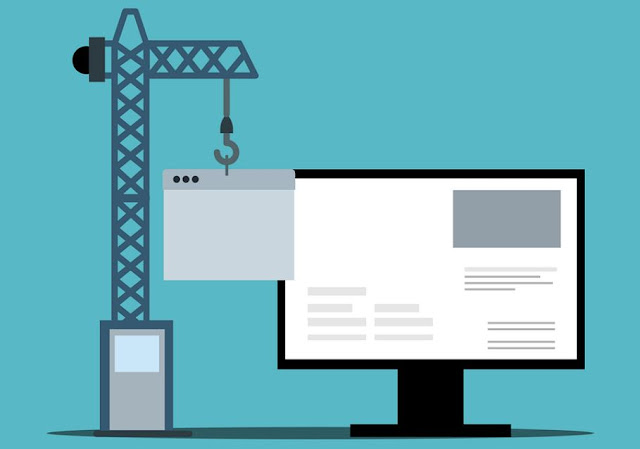
How To Start A Website On A Budget

how to start a website on a budget low-cost web design

According to current statistics, there are almost 2 billion websites on the internet today. There are endless reasons people choose to toss their hat into the internet ring. From selling a product to sharing a passion about a topic, the internet is a powerful platform to express opinions, ideas, sell services or wares. But is it affordable to build a website? 

The good news is that building an online presence with a new web page can be very affordable. In fact, there are as many options for website building that can fit almost any budget. Read on for top tips to start a website without breaking the bank. 

Why You Should Start A Website 

As mentioned, the reasons for creating a website are as vast as the internet itself. Everybody has a different point of view, and a website is an ideal place to share those views. Some of the top reasons to start a website include selling a product, offering consulting services, writing reviews, expanding upon a passion or hobby, sharing information, building a non-profit - the list goes on and on. 

Considering the fact that starting a website doesn’t have to cost a fortune, you may ask yourself “Why not go for it?” That’s a great question because if you have something to sell or say, a website online is an ideal place to do just that. 

Steps To Building A Website On A Budget 

Even though creating a stunning website can be done cheaply, that doesn’t mean it’s always easy. There are details to consider which involve making good choices from the start. With this in mind, here are a few steps to get your website-building adventure off on the right foot. 

Get A Domain Name 

The first and most obvious step to building a website is attaining a domain name. This will be the URL (as in, www.yourdomainname[dot]com), where visitors will see your site. There are many providers where you can research domain names and purchase them relatively cheaply. The base cost for a domain name is around $10.00 per year. The price goes up, though, depending upon additional security measures you may elect to purchase such as a secure SSL or WHOIS domain privacy. 

Get A Hosting Service 

A web hosting service is needed to make your website live, viewable, and accessible to visitors searching for you online. Very often you can get a reduced price on website hosting if you opt to bundle your domain name with a hosting package. Consider the purpose of your website before choosing a host. For instance, if you want to sell products or services, consider WordPress WooCommerce hosting, which has e-commerce functionality at the heart of its service. 

In truth, web hosting is potentially the most expensive aspect of creating and maintaining a website online. You can start with cheaper hosting for as little as around $14.00 per month. That cost will increase according to security, speed, support, bandwidth, and more. Keep in mind, however, that your hosting fees may also increase as you get more traffic to your website. At the high end, websites that receive hundreds of thousands or millions of visitors a month may cost up to $1000 a month. But in the beginning, you can keep hosting costs low, and upgrade to a bigger hosting package as your website grows. 

Get The Right Platform 

A website building platform or content management system (CMS) is how you will build your website using a dashboard. There are many options to choose from, and some offer easy-to-use features such as drag and drop functionality in the event you are unfamiliar with web building. Choosing the right CMS for your website depends upon your objective. 

Website software costs range from $14.00 per month, and the price goes up from there, depending upon what functionality you want for your website. One of the most popular CMS platforms is WordPress, which powers a third of all the websites on the internet. WordPress also features an open-source software (WP.org) that is free to use. This might be a viable and cost-free solution if you’re just starting a website. There are also millions of free or low-cost plugins and themes to help maximize, customize, and optimize a WordPress website or blog.

The Last Word For Starting A Website On The Cheap 

Determining how much a website will cost is largely contingent upon what you want to accomplish online. In the beginning, you can keep costs very low with free open-source software, or getting bundle deals through a hosting service. As you continue to build your site with quality, optimized content, you can upgrade to pricier options and packages that will improve your website. In the final analysis, starting a website doesn’t have to cost an arm or a leg, so you can easily create a website without crushing your budget. It is time you stop delaying and start building a wonderful website that works for you!

New Marketing Techniques Fueling Business Growth

new marketing techniques fueling business growth online advertising

Growing a business is definitely not a walk in the park. To begin with, you require a viable idea. That's usually the easy part! From there, you should find a profitable niche, define your target audience, and have something of value to sell. Your business should solve a problem, provide value, and fill a need in the market. Whether you choose to peddle products, information, or service, spreading the word out has become increasingly challenging, especially without the right marketing strategies. 

Identifying the best strategies to market is often thought of as rocket science. However, it is not that complicated to get started with new age marketing techniques! With technological inventions like social media, blogs, search engine optimization, and pay-per-click advertising, it is easy to reach the audience you anticipate. Nevertheless, you must leverage these major marketing platforms but differently than your competitors to stand out. 

If you are confused, here is how new marketing techniques are helping firms fuel business growth, churn a profit, and stay afloat. Also, find how you can leverage these marketing techniques to grow your business masterfully. 

Why Do Businesses Need Marketing? 

Marketing is one of the crucial things a business should do. On a base level, it educates your customers or potential customers. Knowing your products and services is excellent. However, if your customers don’t understand what you are selling them, all that information is pointless. And marketing is the best way to communicate your value proposition to your customers and inform them. 

Additionally, marketing helps create long-lasting customer relationships that will help your business flourish and grow. What’s more, marketing equalizes the playing field, allowing businesses of all sizes to reach their maximum potential. What better reason do you need to leverage marketing? 

Nonetheless, if you are unsure where to start, here are three new marketing techniques you can leverage. 

The Three Best Marketing Techniques 

1. Leverage Social Media 

You cannot ignore the power of social media because that is where all the magic is happening. In fact, many businesses these days are solely built on the backs of social media platforms. While it can be intimidating at first, as you build momentum, you will find that using social media gets a lot easier over time. 

facebook marketing social media

If you have money to spare, consider hiring a social media manager. However, if you don’t, well, you can handle it all by yourself. Remember to stay authentic when using social media—post your thoughts, products, and anything that you find valuable and relevant and help your audience learn more about your business and products or the industry you are in. 

Additionally, consider direct messaging potential customers on top platforms like Facebook, Snapchat, TikTok, and Instagram or reach out to successful businesses on Twitter. This is a super-powerful marketing method that gets real results and ROI. 

2. Create Video Tutorials 

One of the most efficient ways to spread the word about your business is by creating video tutorials. You should necessarily teach people something useful. Maybe walk them through an issue they are facing and its potential solution. 

Step-by-step tutorials are all the rage now. The better you are at this, the more value you will be able to provide, the quicker you can boost your visibility, and eventually, your sales. 

Presently, YouTube happens to be the second-largest search engine in the world, only behind Google. Whenever someone wants to learn something, they will likely head to YouTube. You have probably done it yourself countless times. So, ask yourself what you could teach your target demographic that aligns with your business values and mission. 

Then set up a camera, create a comfortable space, and record that video. If you find it hard to appear visually on camera, you can skip this part. Instead, find creative ways to create an exciting video. Don’t simply ignore the visibility and reach of YouTube. Get out there, and make authentic and valuable videos today. 

3. Start Blogging 

If you don’t have a blog for your business, then you need to start one immediately. Blogging is one marketing technique that is commonly used by online casinos to reach their target audience online. While blogging might appear mundane due to the lack of visibility, it will prove to be highly beneficial in the long run. Nevertheless, if you don’t know what you are doing, your blog will likely be a barren desert. 

business blogging content marketing start blog

When it comes to blogging, it isn’t just about posting your ideas. You should do authority blogging. Leverage platforms like Medium, Blogspot, or Tumblr to publish the business content you come up with. 

Similarly, answer questions on platforms like Reddit and Quora. Or, if you want to take things up a notch, start publishing on LinkedIn. These are all high authority domains that everyone can post on. Thanks to their massive audience base, you will get to enjoy immediate reach. 

You can always graduate to a WordPress website blog later if needed to build your blog domain authority from scratch with a custom domain name.

How To Bulk Install WordPress Plugins

how to bulk install wordpress plugins wp reset

Starting a new website from scratch is already a stressful situation. Even if you have one already up and running and have already done the process once. It still can give you quite a headache, and no medicine can help you with this kind. 

Therefore, being in the WordPress business, you probably have some favorite plugins and themes. Those are the tools that you trust and don't want to risk with some new ones. They already have proven to be of good quality and of good use, and if something is working, then do not change it. 

That's fair, but the process of installing one by one can be dull and time-consuming. You will need to unzip the plugins, enter the license key, activate them, and so on. It is a long process. 

We get it- no one has time for that and that time can be spent in a much better way. 

What if we told you that you can do a bulk installation of your favorite tools? Like, you can install them all at once with just one click. That's possible with one tool by the name of WP Reset. 

WP Reset – The Hero Without A Cape! 

It is a tool that will ease your installation process by a mile! It has a collection feature where you can put your plugins and themes. And you can put however of them you want - there is no limit. 

That way, when you click install and activate in that collection, all of your plugins will be installed by the WordPress Reset plugin. You can easily spend that time with your close ones on a lunch date while this tool takes charge. 

You can also make as many collections as you want. Once you create your collections, you can use them on any site of yours. There is no need to create them over and over again. The reason behind that is because they are patiently waiting for you in the cloud. 

We all know the trouble of saving the license keys. Sometimes we forget where we hide them. It is like a treasure hunt when you want to find them. 

But the hunt is over because you can save them in your collections. And, no worries, they will be encrypted. 

Besides, this rock star also helps you go back in time. Let's say you updated a plugin, and your site isn't working anymore. There is no need for a breakdown and trying to figure out what went on. 

It can happen for various reasons. The newly updated plugin is not working with the rest of the tools, or the plugin is outdated. 

That's why when choosing a plugin, always check if they do updates regularly and do you get the needed support for it. That will tell you if the plugin is worth being on your site! 

Even if you install a brand-new plugin that you found, things can go downhill pretty quickly. 

Simply with just one click, go back to the moment where everything was okay. It's like having your own little time machine. 

That is because this tool creates snapshots before any huge change that you make. Before you update the plugin, any activation or deactivation, there will be a snapshot taken. 

You can take as many snapshots as you want - no limit here. And restoring them takes only one click. Besides, you do not need to worry about the size of those snapshots. They take up about 3MB of your space, and the old ones are going straight to the trash bin. 

Nevertheless, since you can install all of your plugins at once, you can also erase everything with one button. The nuclear reset button lets you delete everything off your site - not a single crumb will be left on the site. 

That is because when you install a theme that you like, they bring additional and unnecessary files with it. Hit the button for nuclear reset, and everything will be gone in 30 seconds. 

Now, this is a solution for anyone who is looking to start fresh with their website. There is nothing better than to have a tool that is this versatile. It helps you install all at once and delete everything at once. 

One other thing that is a fear of every website owner is the White screen of death. That is when nothing works on your site - you can't even access the admin panel. That is a huge problem for sure, but it is a piece of cake if you have WP Reset. 

WP Reset offers an Emergency Recovery tool that is a standalone script. It is independent of any WP files. That's the reason why it will always work and why you will be able to fix the white screen. 

It is pretty much an easy process, you will need to open it via a secure link, and it will help you get your site up like a pro! With this in your back pocket, you and your customers will never again have a fear of a white screen. 

Conclusion 

As said before, installing your favorite 10, 20, or even 30 plugins on your WordPress website or blog can be a long process. Not only long but a boring one too. Let WP Reset take your work out of your hands and sit back and relax. 

Your plugins are like your employees - you need to take good care of them. If they mess up, you need someone to fix it up. And right there and then, WP reset will come in flying like a superhero and take you back to the time where your plugin was working fine.

How To Use WordPress For Social Media And E-Mail Marketing

how to use WordPress websites for social media email marketing WP blog seo

The WordPress development company has played a remarkable role in the support and development of all spheres of human endeavor. They have achieved this through the development of WordPress web development software which now serves as a great and popular tool among web development companies. In fact, according to statistics gotten from a research study, twenty-eight percent of all active websites run on the WordPress platform. 

Some of the advantages or merits of using WordPress for web development services include but not limited to the following: 

WordPress Is SEO-Friendly 

Google, a search engine tool, recognizes websites designed with WordPress, thus, making such websites Search Engine Optimization-friendly. However, Google isn’t the only search engine tool that recognizes WordPress-powered websites, all other search engine tools do too. What this means is that websites developed with WordPress are ranked very high by search engines which in turn leads to enormous traffic generation. And if you want your website to enjoy such an advantage, then you need the services of any of the reputable web developers that are proficient with WordPress. 

WordPress Supports Payment Gateway System 

One merit of designing a website with WordPress is that it supports payment gateway which makes it possible for e-commerce and online transactions to take place easily and conveniently. It is equally useful for both credit and debit card transactions. 

WordPress Websites Are Secure 

Despite supporting payment gateway, WordPress-powered websites are also very secure. The WordPress development company has a team of experienced IT experts who work round the clock in ensuring that no potential cyber attacks will be possible or successful. 

WordPress Hosting Service Is Free 

Apart from the advantages of using a secure WordPress site, it might interest you to know that the online hosting service is free. If you design a website from scratch you will need to pay for the hosting service, however, it is not so with WordPress. This means that WordPress has reduced the cost associated with web development. And as already discussed, the WordPress server is very strong which makes it very secure and invulnerable to hacking and cyber attacks. 

WordPress Can Create Very Beautiful Websites 

WordPress has countless beautiful templates that you can pick from to design your own website. In fact, there are various categories, depending on the category your business falls under. There are categories like music, sports, hospitality, education, cuisine, etc. Also, WordPress offers numerous themes with thousands of plugins that can be used to add all the necessary features to your website. 

WordPress Supports Videos 

If you need to develop a website that requires a video or videos as part of its content, WordPress comes handy. More so, if you already have a website that was developed with WordPress and you have a video that you’ll like to upload to your website, then you can get in touch with a reputable web developer to engage their services. In addition to videos, WordPress supports picture and audio contents as well. So, depending on what you want on your website, WordPress will always make it possible. And in addition to this, it is also possible to use WordPress for digital marketing. 

WordPress Is A Content Management System 

WordPress is developed as a content management system, which means that you can edit the content on your website by yourself should the need arise. For example, if you have a new product that you want to add to your website, you can get it done without the assistance or support of a web developer. It may even be that you want to change the prices of certain products or you’re running a discount promo or any other information you want your web visitors and customers to learn about. All these can be easily edited on your website if it was designed with WordPress. 

It is good to have a website and better if the website can generate a lot of traffic. Hence, being able to design a website with pictures and videos is a plus for business owners because it helps to convert a larger percentage of their web visitors to potential customers, which is the sole aim or purpose of web development. 

E-mail marketing is an excellent means of reaching out to your potential customers, and with WordPress supporting audio and video content, it can be used to create e-mail marketing content by top web developers. 

WordPress equally enables you to link your social media accounts to your website, which in turn makes it possible to get feedback from your customers. It’s therefore, advisable to secure the services of one of the well-known web developers in order to help you develop a website that will serve the ultimate purpose of increasing your customer base and maximizing the profits of your business. Consequently, proficient web developers will help you to design a responsive website with WordPress

Conclusion

In conclusion, the WordPress development company deserves all the support they can get in making the WordPress open source web development platform better because they’re making the business environment more favorable and profitable. As it is known, they are doing an amazing and commendable job with the regular introduction of newer versions of their software which will accommodate all types of business activities. And do not forget, more businesses are still expected to spring up. So, this is why you can never ignore the services of top web developers. Therefore, if it’s a blog you want to design or it’s a website you need for your business, WordPress is a recommendable option. 

Melissa Crooks is Content Writer who writes for Hyperlink InfoSystem, a mobile app development company in New York, USA and India that holds the best team of skilled and expert Indian app developers. She is a versatile tech writer and loves exploring latest technology trends, entrepreneur and startup column. She also writes for top app development companies.

Marketing Masterminds Media Network Newest Posts: